Every change checked, every action recorded
Run the bank's back office with approval queues, cases, documents and a business calendar — all audited, all in one Workspace.
Maker-checker everywhereTamper-evident auditBusiness calendar
The back office, rebuilt
Maker-checker
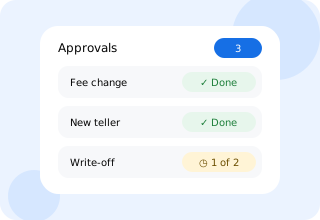
Configurable approval rules for configuration, limits, roles and money movement.
Cases & complaints
Customer complaints and internal cases with SLAs and escalation.
Documents & statements
Statements, letters and documents generated and stored with retention rules.
Business calendar
Holidays, cut-offs and end-of-day, month and year runs.
Notifications
SMS, email and in-app messages from templates.
Data migration
Load customers, accounts and loans from your old core and reconcile them.
How a change is approved
Propose
A maker submits a change with a reason.
Review
Checkers see a diff and the impact.
Approve
Approval rules decide how many checkers are needed.
Apply
The change applies and lands in the audit log.
Connected to the rest of your bank
- Every module — approvals and audit apply everywhere
- Workspace — queues and cases for each role
- Security — audit streamed to your SIEM
- Environments — configuration promoted with review
Release status
- Maker-checker and audit
- ◷ Pilot 2027
- Data migration toolkit
- ◷ Pilot 2027
Dates follow the public roadmap and may change.
Operations & approvals questions
Can approval rules differ by amount or role?
Yes. Rules can require more checkers above thresholds, specific roles, or different branches.
Can auditors see everything?
Auditors get read-only access to the tamper-evident audit, session and communication logs.
See an approval end to end
Watch a fee change go from maker to checker to audit.